
Meta Tech Provider

Help Center - Articles Detail

Increase WhatsApp Broadcast Limit to
2000 Users with WhatsApp KYC Verification
Simple steps to upgrade your WhatsApp Broadcast limit from 250 to 2000 using WhatsApp KYC Verification
Want to Increase Your Broadcast Limit from 250 to 2000 Users?
Good news — the process is now much simpler. You no longer need Facebook Business Manager Verification to upgrade your WhatsApp broadcast capacity. Wavixo has introduced a KYC Verification method, which requires just three easy steps to enhance your WhatsApp broadcast limit
Prerequisites for Completing WhatsApp KYC
Before proceeding, make sure:
Your WhatsApp Business API is active
You have a GST Number + GST Certificate or an MSME/Udyam Number
How to Complete WhatsApp KYC Verification with Wavixo
How to verify your business to increase limit
To verify your Business Verification, follow these steps:
1. Open Business Manager and select your business.
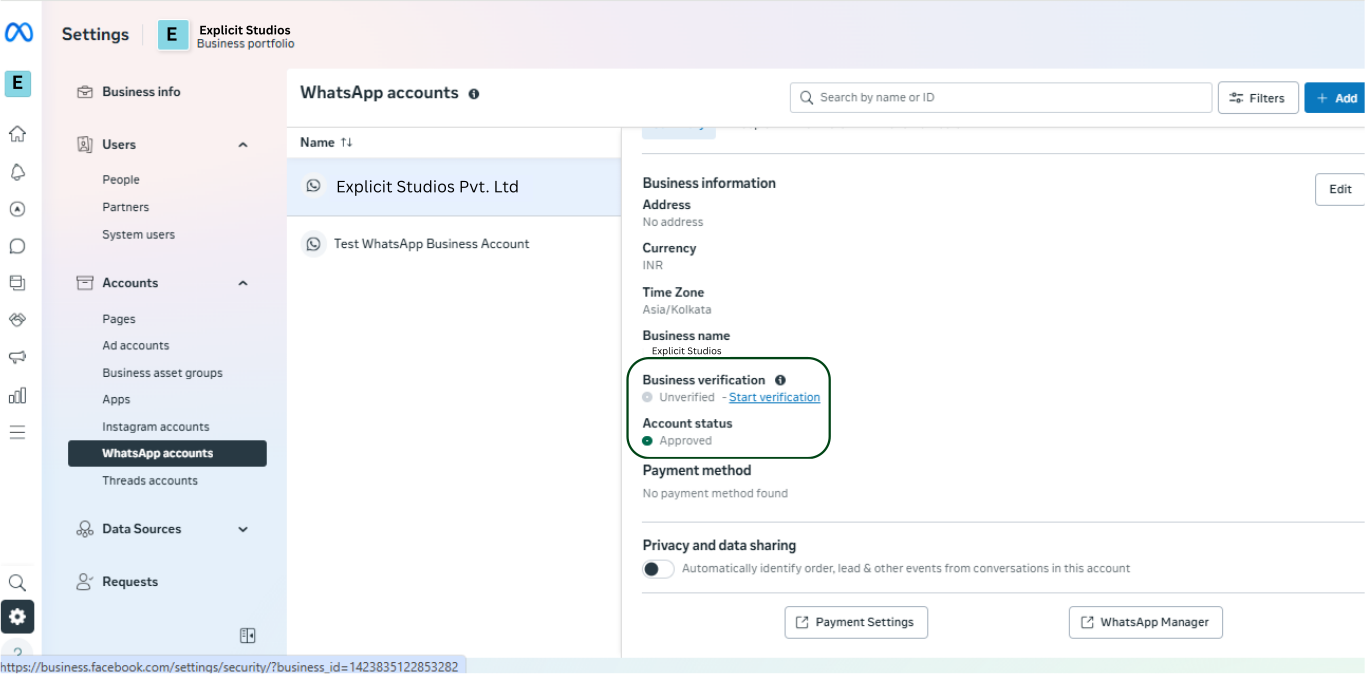 2. click on start verification.
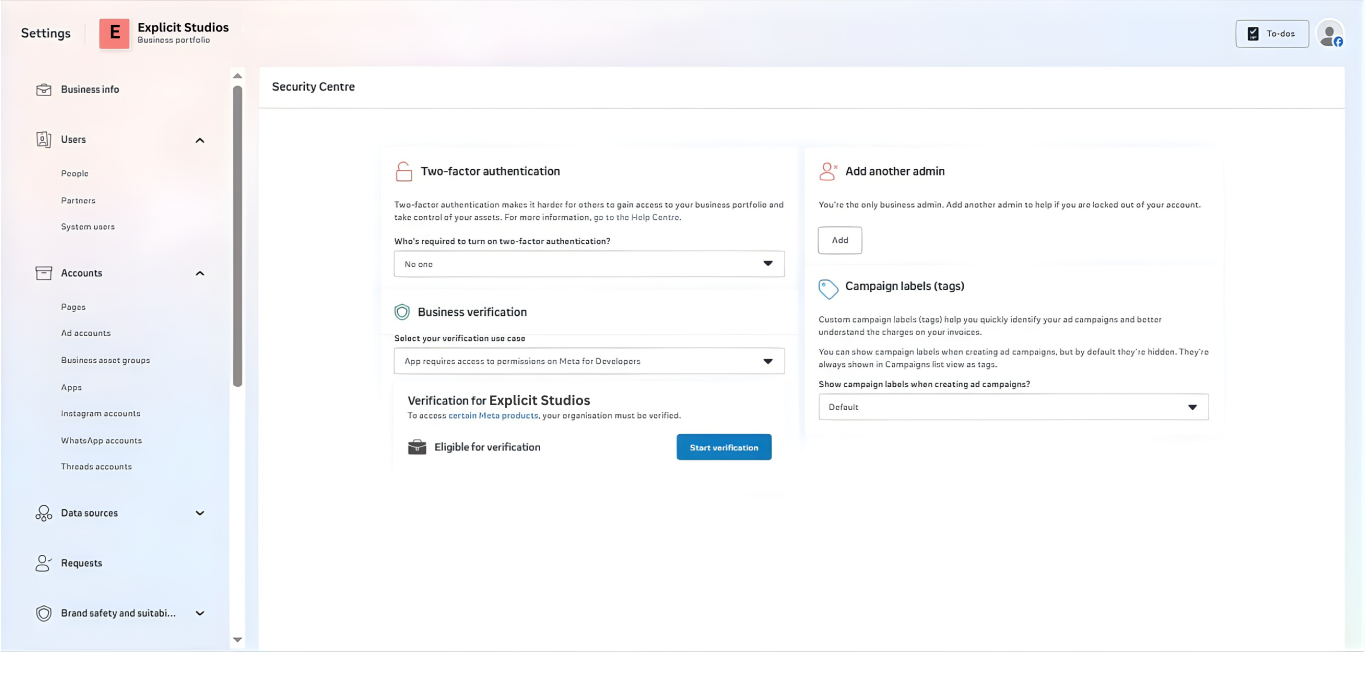 3. Click on Get started.
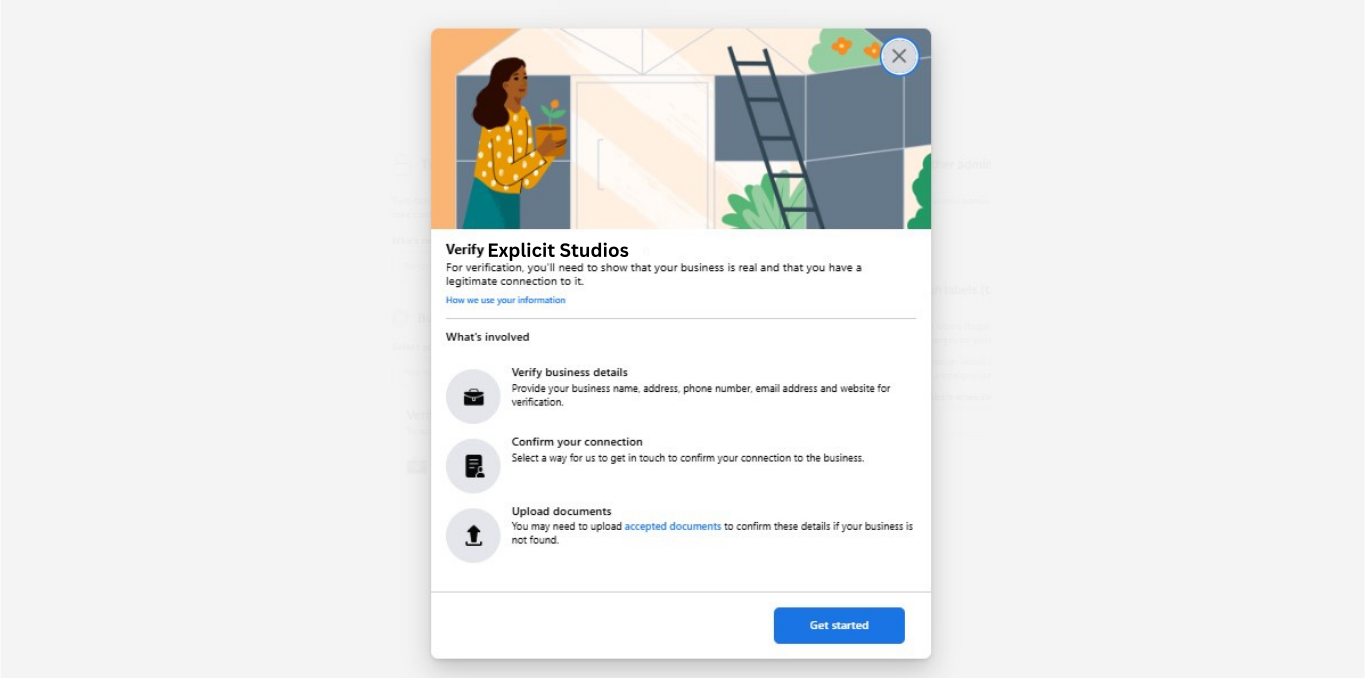 4. Click on next.
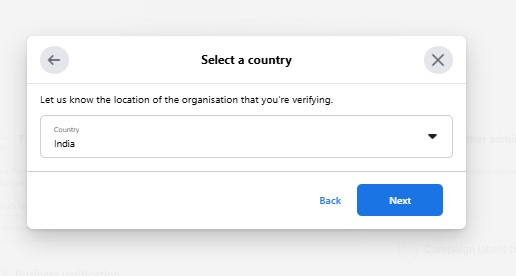 5. Click on next.
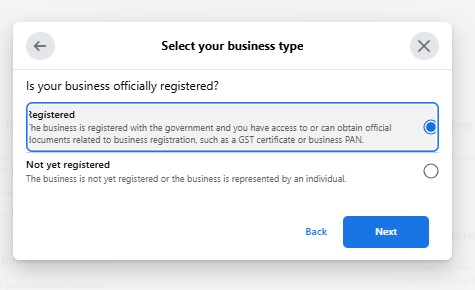 6. Click on next.
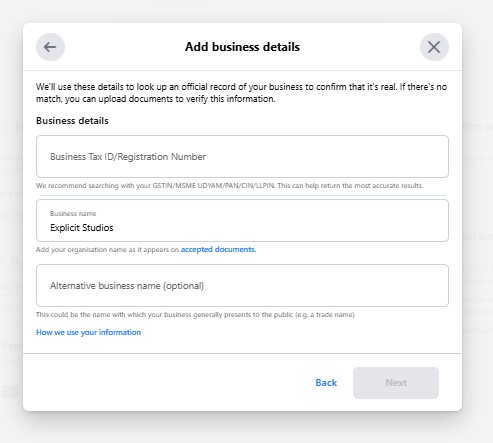 7. In review.
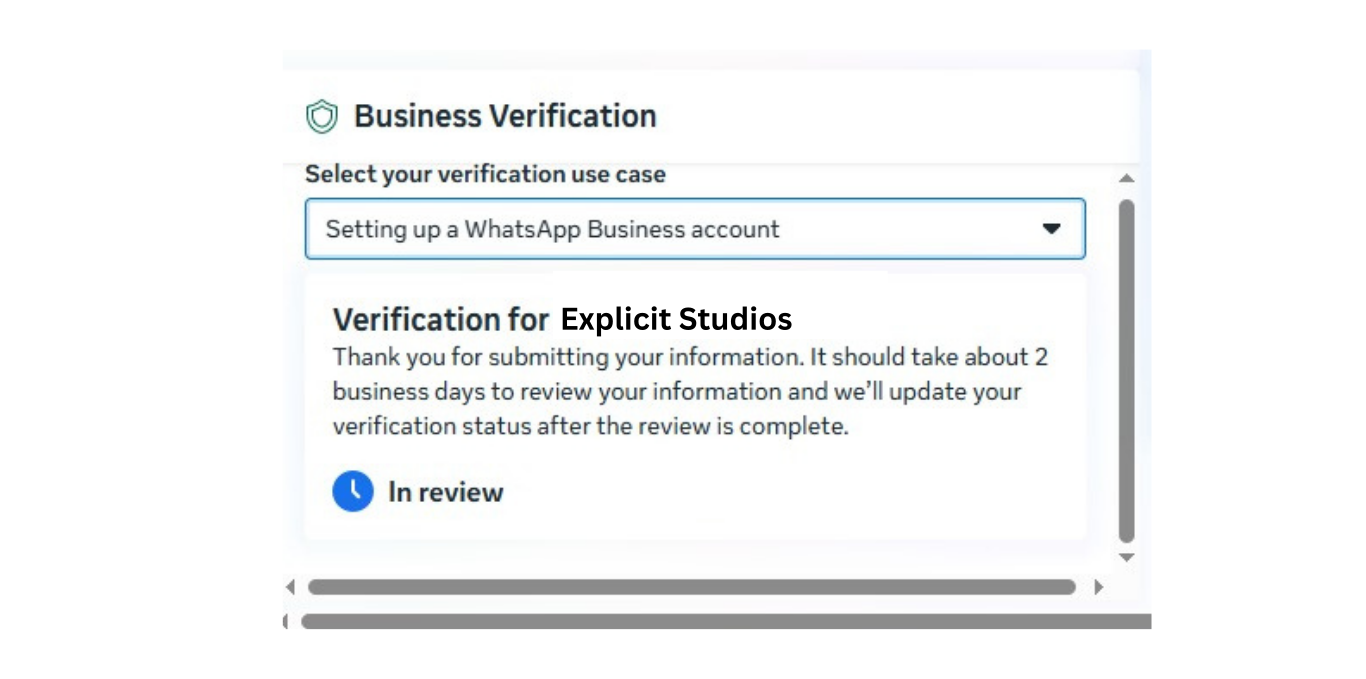 Your application will go in review for a while and then after verification process is done your broadcast limit will exceed upto 2000.
Need Help?
If you face any issues, Wavixo support is available through:
Live chat on the website or app
Email support
Related Articles
How to apply for WhatsApp Business API
WhatsApp Broadcast Limit
WhatsApp Broadcasting Rules
How to Opt-in & Opt-out users inside Wavixo

Make your Productivity
more efficient. From this time.
Get the Demo and unplash your productivity. Feel Free to get the
latest Technology. Have a good time