
wavixo – WordPress Theme

Meta Tech Provider

Help Center - Articles Detail

Getting Started with the Wavixo Platform
for Your Business

quick-start guide to help you understand and begin using Wavixo effectively.

Support
Getting Started

Overview

Creating a campaign in Wavixo allows businesses to send targeted WhatsApp messages to their customers quickly and efficiently. By using approved template messages, you can promote offers, share updates, or send important notifications to selected contact groups. Wavixo simplifies the process by letting you choose your audience, select a template, launch the campaign, and monitor its performance through built-in analytics.
wavixo

Working Steps

wavixo

Some Easy Steps To Create Campaign in Wavixo

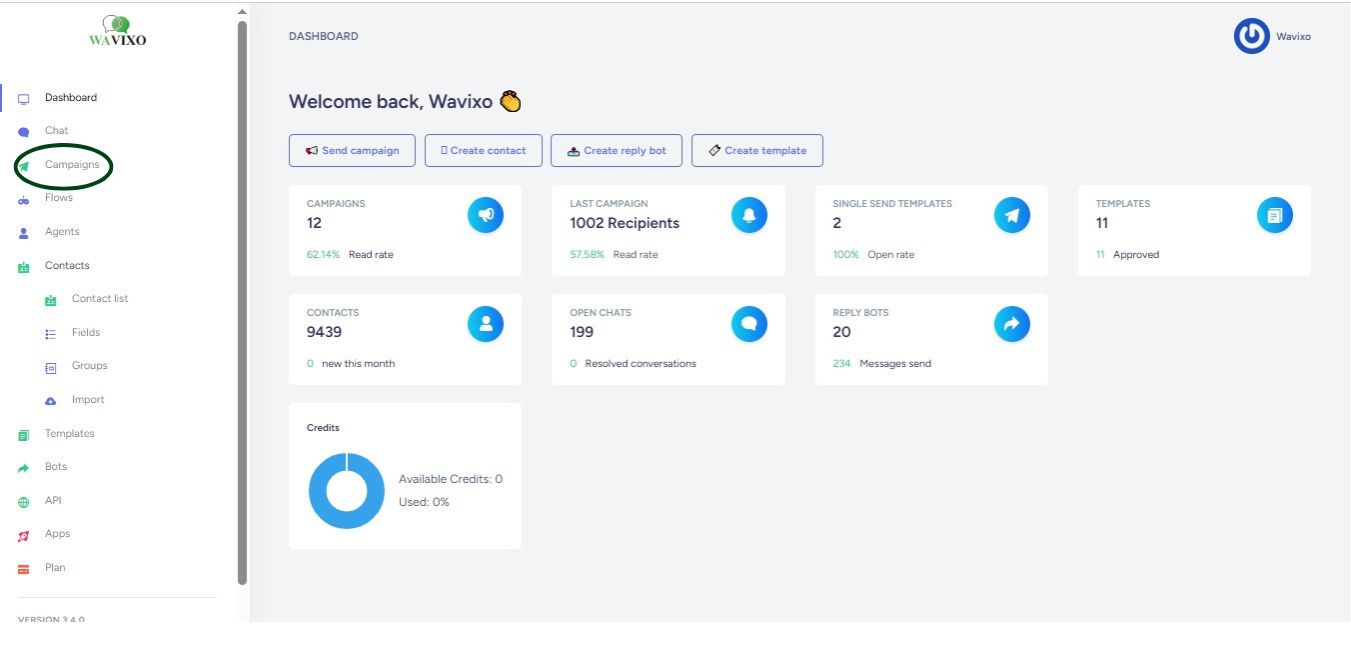
#1 Click on the Campaigns option from the left side menu

wavixo

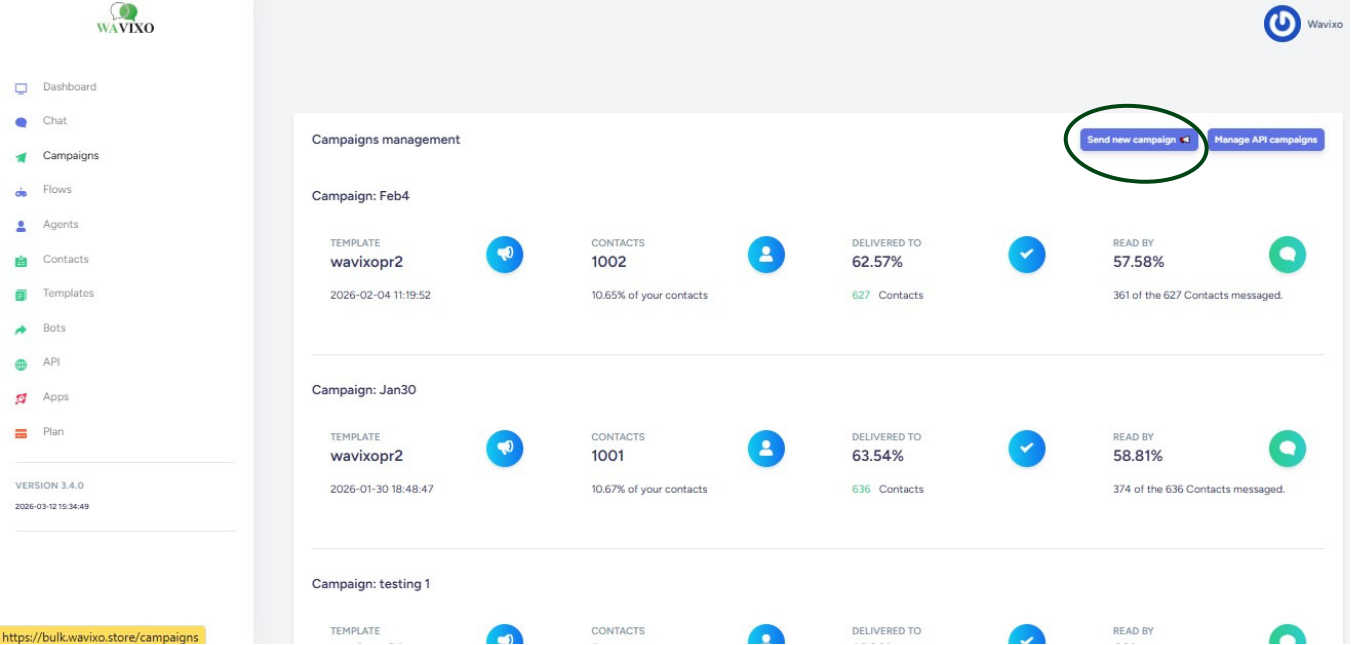
#2 Click on send new Campaign.

wavixo

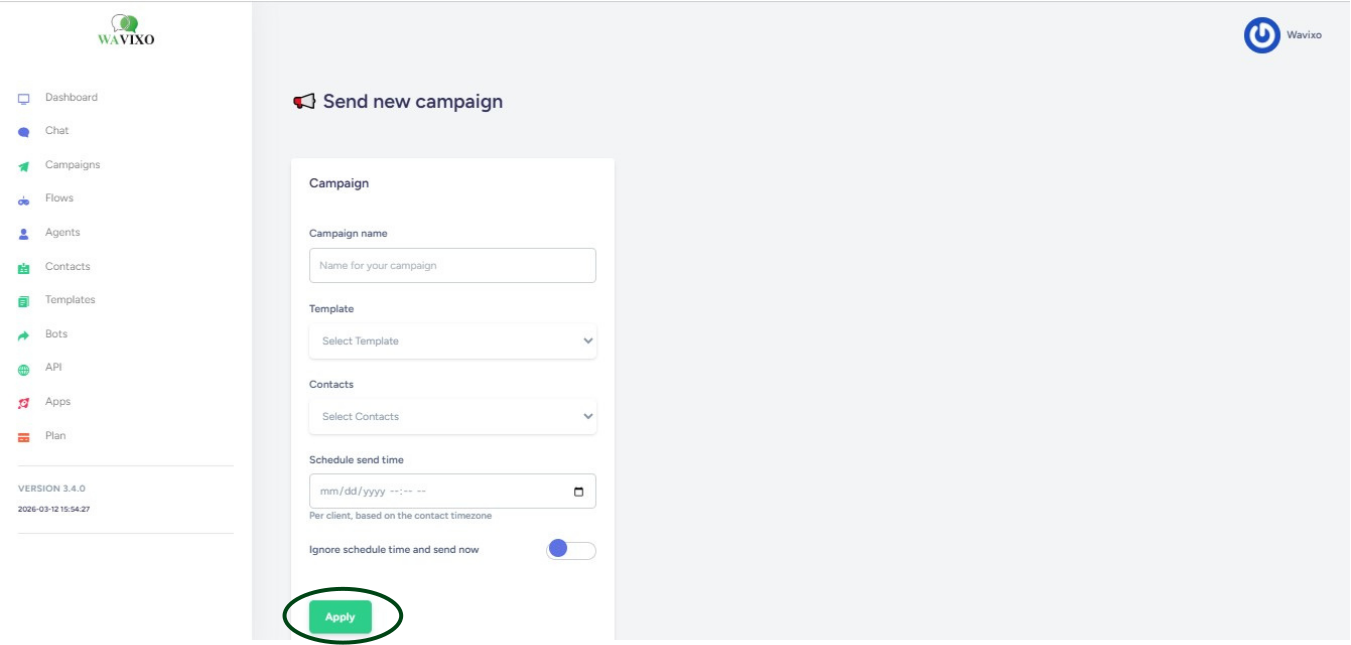
#3 Fill all the details and click on apply.

wavixo

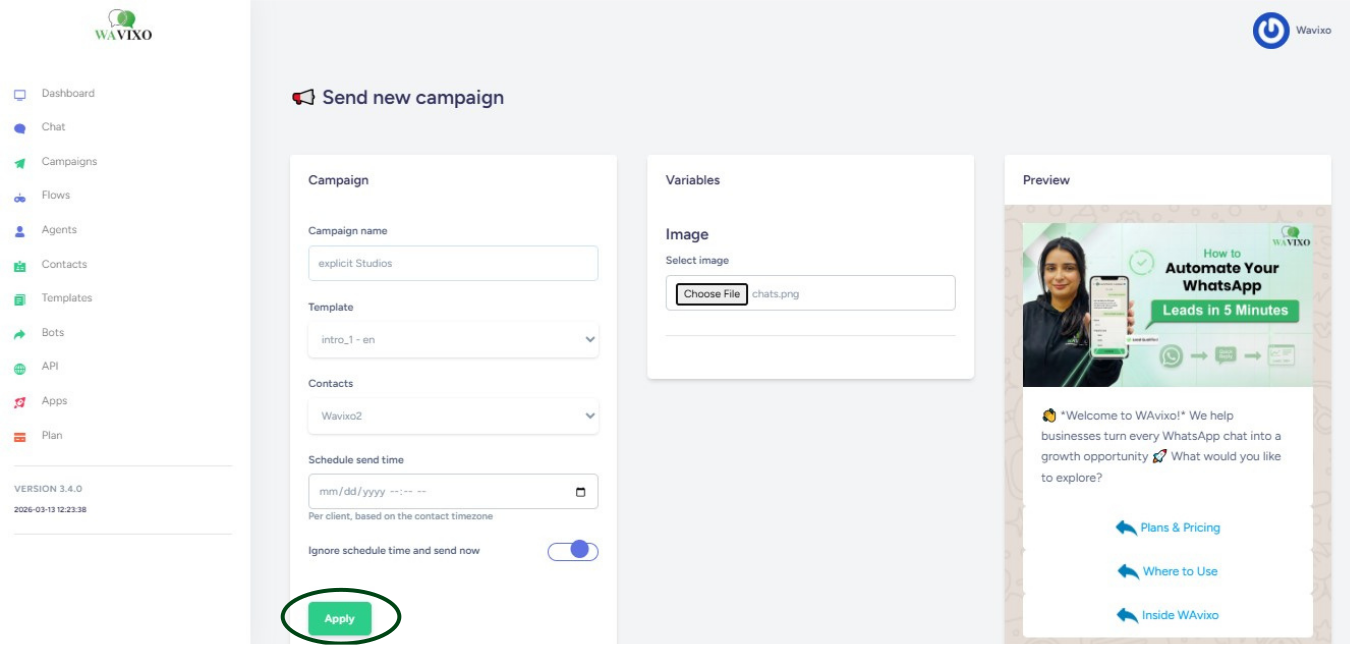
#4 Now choose your variable and select your image.

Verify your Details and click on apply your first campaign will run instantly

wavixo

Make your Productivity
more efficient. From this time.

Get the Demo and unplash your productivity. Feel Free to get the
latest Technology. Have a good time

layer